Logging in
When ImCMS is running, it’s URL consist of next parts:
Protocol -
httporhttpsHost -
localhostif running locally, or any another if it is dev/prodPort - usually
:8080or another (optional)Context path - could be anything after previous parts (optional)
The simplest variation is https://imcode.com, and for local is http://localhost:8080/imcms
There is a URL reserved for logging in - /login. Simply add it after ImCMS URL, so you can get this (using previous
examples): https://imcode.com/login. You should see next page
(this is an old design):
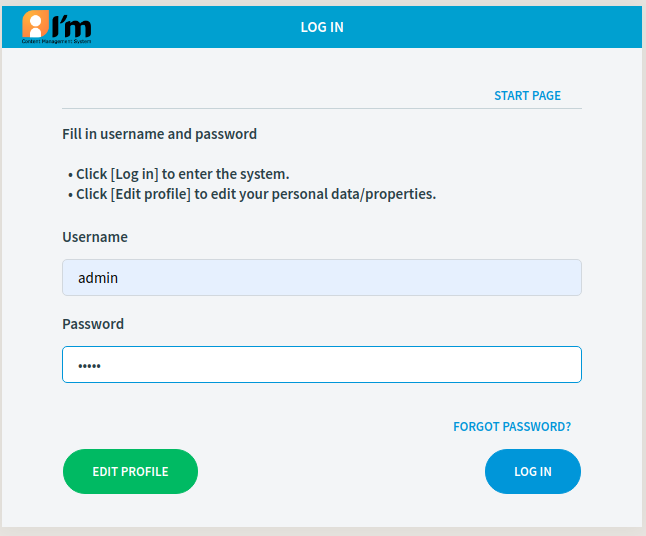
By default login and password is the same - admin.
There is possibility to set next url after login:
next_meta - id of desired document
next_url - URL that user will be redirected to after successful logging in.
Can be taken from current page URL before redirect, so user will be returned back.
Examples:
http://imcms.dev.imcode.com/login?next_meta=1003
http://imcms.dev.imcode.com/login?next_url=http://imcms.dev.imcode.com/test-page-one-headline