ImCMS
6.0.0-beta18-docs
  • Overview of ImCMS
  • Setup
  • Tutorial
  • Design
  • API-Documentation
  • Content Management
    • Document Management
    • Admin Panel
    • Text Management
    • Image Management
    • Loop Management
    • Menu Management
    • User Property Management
    • Category Management
    • Role Management
    • Super Admin Window Management
      • User Management
      • Delete Document Management
      • Link Validator Management
      • Profile Management
      • Index Cache Management
  • Advanced Configuration
  • Image Archive
  • BankId
  • User Documentation
  • Developer Documentation
ImCMS
  • Content Management
  • Super Admin Window Management
  • Link Validator Management
  • Edit on GitHub

Link Validator Management

In this article:
  • Introduction

  • Start id

  • End id

  • Start validation

  • Flag Broken Links

Introduction

This section describes how validation links from range documents.

Start id

    • Click to number field and write start document id, where the links validation will start:
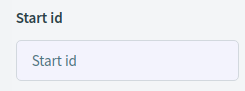
    ../../_images/start-id.png

End id

    • Click to number field and write enf document id, where the links validation will end:
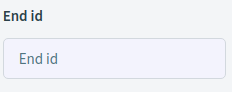
    ../../_images/end-id.png

Start validation

    • Click on Start the validation and will be show all links from start id and end id (range):

    ../../_images/showLinks.png

Flag Broken Links

    • Select checkbox and list will show only broken links on the pages

    ../../_images/flag-broken-links.png
Previous Next

© Copyright 2015-2022, ImCodePartnerAB. Revision 07c6cb49. Last updated on Nov 01, 2023.

Built with Sphinx using a theme provided by Read the Docs.